Blame
|
1 | # Pokémon Arena |
||||||
| 2 | ||||||||
| 3 | 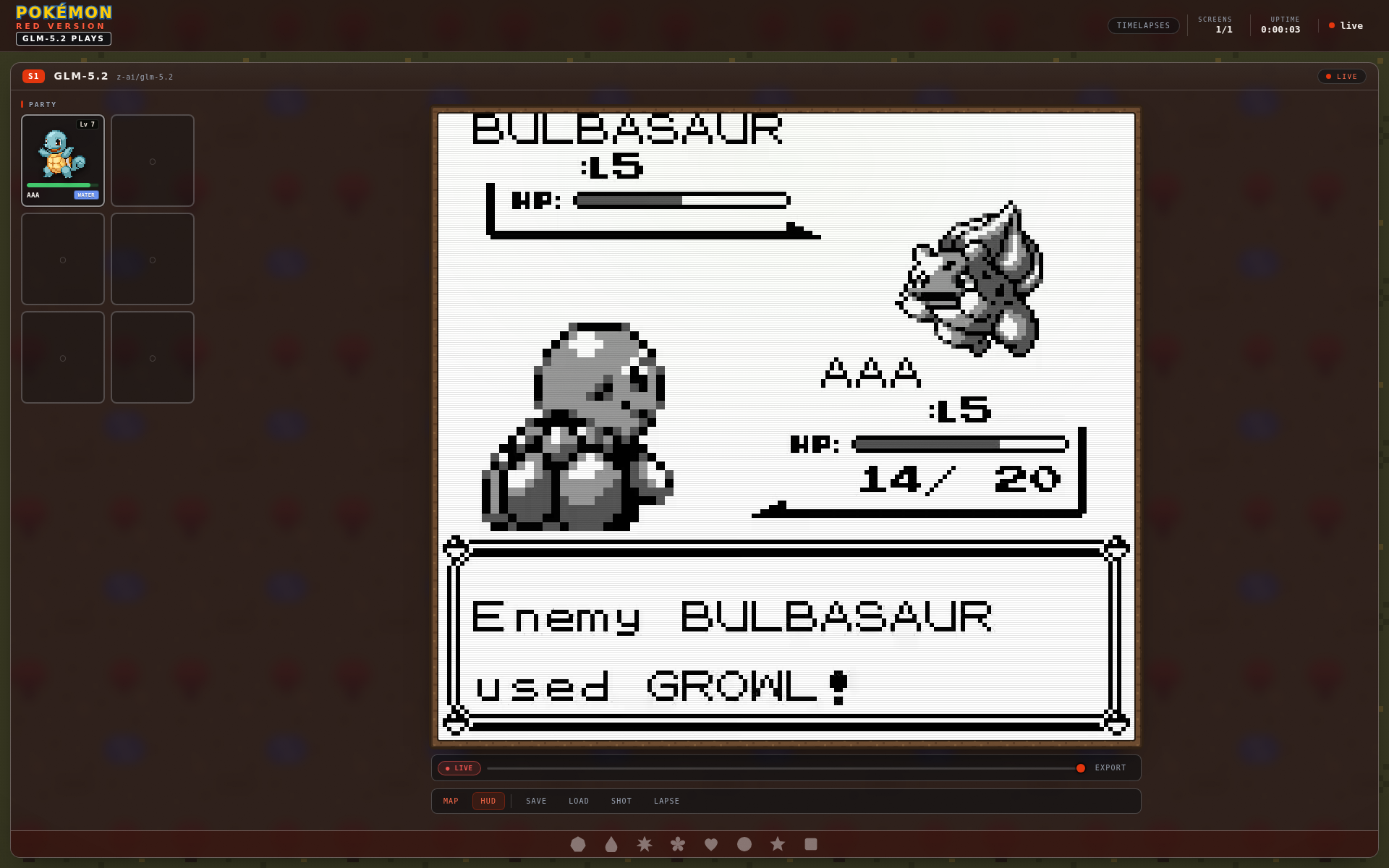 |
|||||||
| 4 | ||||||||
| 5 | I wanted a better way to watch a model play Pokémon Red than staring at a terminal and hoping the logs told the whole story. Pokémon Arena is that view: a live control room around a running game, with the model's current mission, party, game frame, progress, and tools in one place. |
|||||||
| 6 | ||||||||
| 7 | The emulator is doing the playing. The arena polls the running screen for frames and game state, then makes that session easier to follow without spelunking through process output. In the current setup, the active screen is a GLM-5.2 run. |
|||||||
| 8 | ||||||||
| 9 | ## What I built |
|||||||
| 10 | ||||||||
| 11 | The center panel is the game itself. Around it, the arena keeps the useful bits close: |
|||||||
| 12 | ||||||||
| 13 | - the current location, money, steps, token count, and run cost |
|||||||
| 14 | - party cards with level, HP, type, and sprite data |
|||||||
| 15 | - the current objective and its milestones |
|||||||
| 16 | - a live feed for model reasoning and game events |
|||||||
| 17 | - an optional map analysis overlay for reading the immediate world |
|||||||
| 18 | - controls for state snapshots, screenshots, timelapses, and private hints |
|||||||
| 19 | ||||||||
| 20 | That last part matters. When an agent gets stuck, I can see where it is, what it is trying to do, and what has already happened before I decide whether to intervene. The controls are deliberately narrow; this is an observer and a nudge mechanism, not a remote-control toy. |
|||||||
| 21 | ||||||||
| 22 | ## A real battle, not a mockup |
|||||||
| 23 | ||||||||
| 24 | 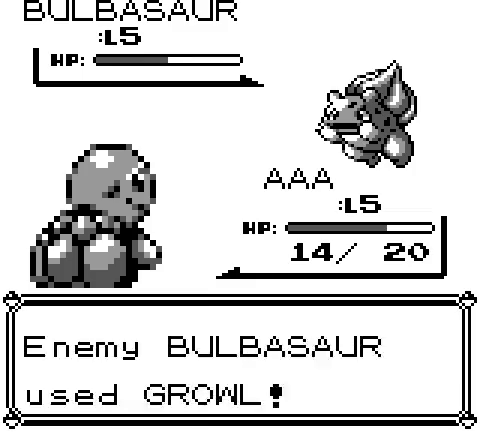 |
|||||||
| 25 | ||||||||
| 26 | The screenshot above came from an arena timelapse. It is a useful reminder of what the dashboard is attached to: an actual Pokémon Red session, not a fabricated status board. The party panel and mission view give the run some context; the captured frame shows what the emulator was doing at that moment. |
|||||||
| 27 | ||||||||
| 28 | ## How the GLM-5.2 run works |
|||||||
| 29 | ||||||||
| 30 | The runner gives the model a concrete objective and game state. The arena collects the pieces that matter for watching that loop: the current frame, structured state such as party and location, recent actions, metrics, and any model activity the runner exposes. The dashboard refreshes those pieces independently, so a slow reasoning call does not turn the rest of the page into a frozen loading screen. |
|||||||
| 31 | ||||||||
| 32 | For the current Pokémon Red screen, that means I can follow Route 1 progress, inspect Squirtle's HP and moves, see the active mission, and export a short timelapse once there is enough history. The map overlay is optional because sometimes the raw frame is what I want; other times the collision and object view makes a bad decision obvious. |
|||||||
| 33 | ||||||||
| 34 | ## Version notes |
|||||||
| 35 | ||||||||
| 36 | The runner is based on the upstream Continual Harness `v5.0.0` release. That tagged release renamed the package from `pokeagent-speedrun` to `continual-harness`, refreshed the README around the Continual Harness paper and the dedicated scaffold section, removed stale documentation references, and regenerated the `uv.lock` file. |
|||||||
| 37 | ||||||||
| 38 | The arena also has deployment-side integration work around the runner. I am keeping those two things separate on purpose: `v5.0.0` is the verified upstream tag, while this dashboard is the local layer that makes a live Pokémon run practical to observe. |
|||||||
| 39 | ||||||||
| 40 | ## Access |
|||||||
| 41 | ||||||||
| 42 | Pokémon Arena currently lives on my private homelab network. It is not being presented as a public service, which is intentional. The point is to have a clean place to inspect an agent session while it is running, keep its output close to the game, and turn the interesting parts into a timelapse afterward. |
|||||||
| 43 | ||||||||
| 44 | There is still plenty to improve, but it already answers the question I had at the start: what is the model doing in there, and can I tell before it walks into another patch of grass? |
|||||||